Leisure centre POS system in Spain and Verifactu
A leisure centre POS system in Spain has to do three things at once: sell at the ticket desk and online from the same catalogue, stop you selling more places than each session can hold, and issue every receipt in line with the Spanish tax agency's Verifactu invoicing rules. If your venue is in Álava, Bizkaia or Gipuzkoa, TicketBAI applies instead.
What a POS must do in a family entertainment centre
A shop till sells products. A family entertainment centre sells time, places and people, often children who need an adult to sign for them. These are the criteria that actually matter:
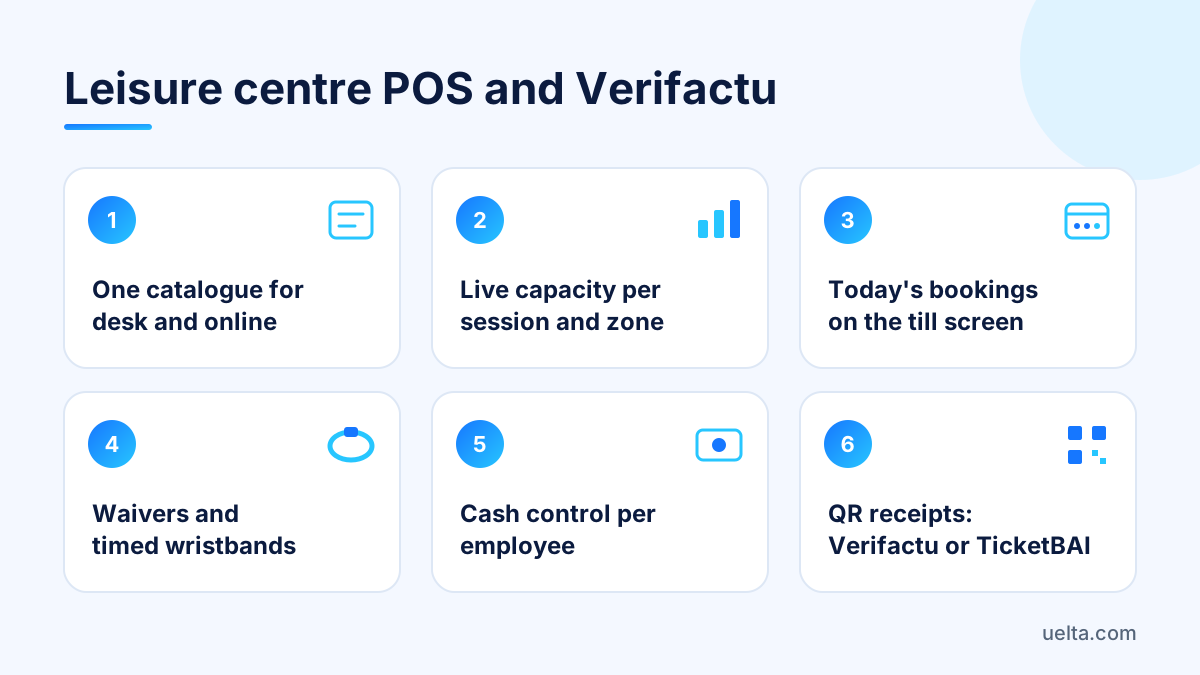
- One catalogue for the desk and online: same tickets, same prices, same add-ons.
- Capacity per session and per zone, deducted instantly whether the sale comes from the website or the counter.
- Today's bookings on the till screen, so staff can check people in without switching programs.
- Waiver status on arrival, if your activity requires a signed liability document.
- Timed wristbands, so floor staff know who has to leave and when.
- Cash control per employee: opening, closing, discrepancies and who made each sale.
- Invoicing that fits Verifactu or TicketBAI, depending on where the venue is.
If an option fails on the first two points, the rest matters little: you will end up reconciling web sales and counter sales by hand, usually on a Saturday afternoon when the queue is longest.
Capacity control: a step-by-step set-up
Capacity is not one number for the whole building: each zone has its own limit and each product uses different spaces. A set-up that works:
- List your resources: shared zones (trampoline court, toddler area, soft play frame) and exclusive spaces (party rooms).
- Set the capacity of each resource per session, below your licence maximum and in line with what your team can actually supervise.
- Tell each product which resources it uses: a 60-minute ticket uses the court; a birthday party uses the court and a room.
- Decide how much capacity goes on sale online and how much you keep for walk-ins.
- Assign a wristband colour per entry time so floor staff can see at a glance who is finishing.
- Review occupancy by time slot every week and adjust quiet sessions.
The most common mistake is running online capacity in one tool and the desk in another, or on paper. Two families buying at the same moment through different channels is enough for an oversold session and an awkward conversation at reception.
Online sales and the ticket desk in one system
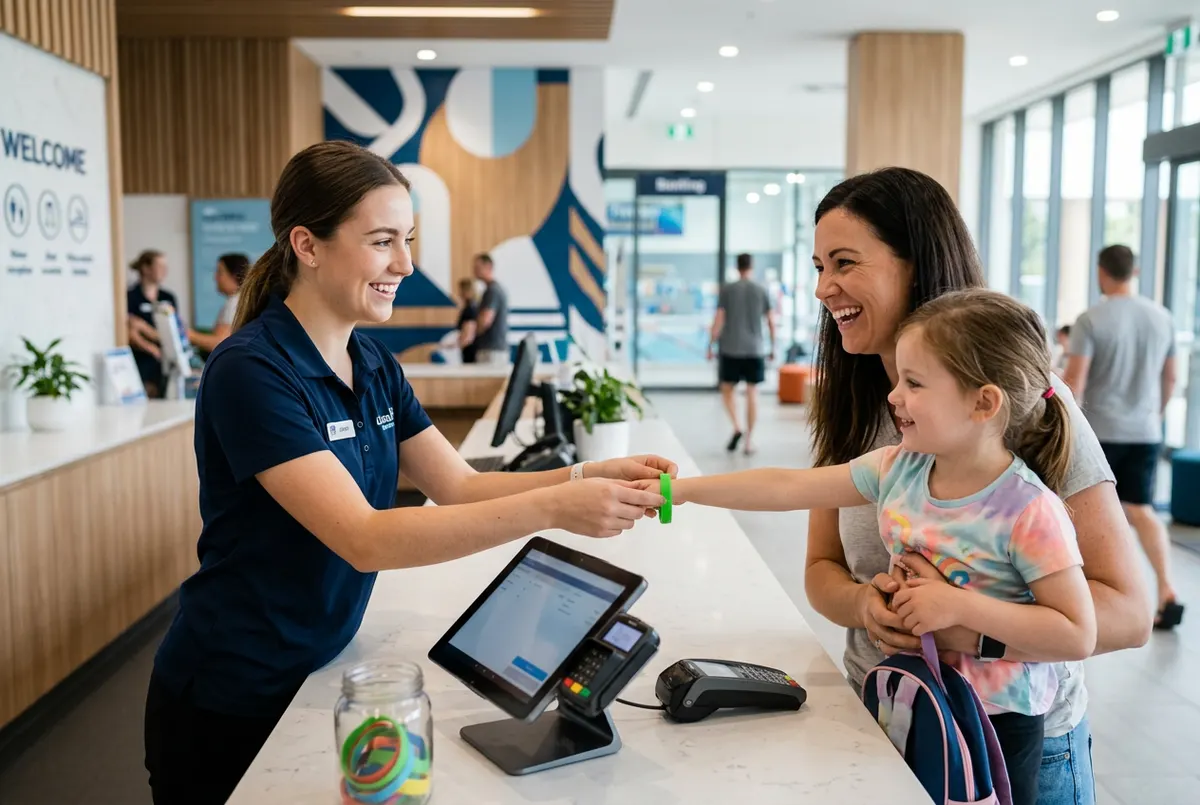
The ideal reception scene is simple: the family bought on their phone, arrives, staff find them by name or reference, check them in and see whether anyone still has to sign. No printed lists, no screenshots. To test whether an option delivers this, ask:
- Does an online sale reduce the same capacity the desk sees, immediately?
- Can reception see on the till who booked, who has arrived and who still has to sign?
- Are add-ons such as grip socks or drinks offered the same way online and at the counter?
- Does online payment reach your bank account directly or go through an intermediary taking a commission?
- Does it run on a tablet without installing anything?
Another practical decision is how much capacity you open online. A common approach is to hold some back for walk-ins on weekdays and open almost everything online at weekends and on bank holidays. Set it per time slot and review it with your occupancy data rather than gut feeling.
Leisure centre POS system and Verifactu: what changes
Verifactu is the common name for Spain's regulation on computerised invoicing systems (Royal Decree 1007/2023), which develops the Anti-Fraud Law. It requires the software you invoice with to create a complete, traceable and unalterable record of every invoice, and every invoice to carry a QR code the customer can check with the tax agency. The software can send those records to the tax agency as they happen (the VERI*FACTU mode) or keep them under additional security requirements. Ticket desk receipts are simplified invoices, so they are covered too.
It applies to companies and self-employed people who invoice with software in the common tax territory, with exceptions such as businesses already on the SII. What to check in your POS:
- Ask the provider for the responsible declaration (declaración responsable) of its invoicing system.
- Check that counter receipts and web purchases carry the tax QR code.
- Run a test refund: it should create a corrective invoice, not delete the sale.
- Review tax details, invoice series and VAT rates on each product before the first real sale.
- Confirm with your accountant (gestoría) when it applies to you: the deadlines have changed more than once.
TicketBAI is the system of the regional tax authorities of Álava, Bizkaia and Gipuzkoa, with its own requirements, and Navarre has its own regional regime too. If your venue is there, ask the provider explicitly whether it covers your territory and confirm it with a tax adviser. This guide is practical guidance, not tax advice.
What options exist and how to compare them
In practice you will find three routes:
- A generic retail or hospitality till plus a separate booking tool. Fine at the counter, but capacity and bookings live in another system and have to be reconciled.
- Software built for leisure venues. Bookings, desk, capacity and waivers share data; usually the best fit for daily operations, as long as it also covers your invoicing.
- Custom development. Makes sense if your operation is very unusual, but takes longer and needs ongoing maintenance.
Before deciding, spend half an hour on this test with each candidate:
- Create a 10-place session, sell 8 online and try to sell 3 at the desk: the system must block it.
- Change the date of one booking and refund another: see which tax document each case produces.
- Open and close the till with two different employees and check you can see who sold what.
- Print a receipt and scan the QR code.
Mistakes to avoid: choosing by how nice the till screen looks, not testing refunds and not asking whether online payments pass through an intermediary.
Frequently asked questions
What POS does a family entertainment centre in Spain need?
One that uses the same catalogue at the desk and online, controls capacity per session and zone in real time and invoices under Verifactu or TicketBAI. Ideally it runs in a tablet browser with nothing to install.
Is Verifactu mandatory for a leisure centre?
If you invoice with software in the common tax territory, the regulation affects you, including ticket desk receipts. Confirm the date that applies to you and any exceptions with your accountant.
Are Verifactu and TicketBAI the same thing?
No. TicketBAI applies in Álava, Bizkaia and Gipuzkoa under regional rules, while the Verifactu regulation applies in the common territory. A POS can cover one without covering the other.
Can I keep using my card terminal?
With many cloud POS systems, yes: you take the payment on the physical terminal and record it on the till. Check that the cash-up separates cash and card.
How Uelta helps
Uelta is software for leisure venues that runs in the browser of a tablet or computer, with nothing to install. Its POS and till uses the same catalogue and prices as your online booking shop, where add-ons such as socks or drinks are offered while customers book. On the till you look up today's bookings and check people in, each employee logs in with their PIN, and cash sessions are opened and closed per person and per day. You can take payments on your own card terminal and record them. With wristbands and capacity you set capacity per zone and session, the till shows which wristband colour to give by entry time, and you never sell more than fits. With the Liability waiver module, the till shows on arrival who has signed and who has not.
Online payments go straight to your account through your own Redsys virtual terminal, with no per-sale commission from Uelta. The optional Invoices module creates an invoice for every payment at the till and online, with the tax QR code and VERI*FACTU (Spain). If you run a family entertainment centre with several attractions, packages and multi-visit tickets, everything sits under one customer record and one till.
Uelta costs 99 € a month + VAT, with no minimum term, and includes online booking, ticket sales at the desk and in the online shop, and birthday parties. Try it free for 7 days with your own sessions and your real capacity.