AI live chat for trampoline parks and soft play
Families thinking about a visit to your trampoline park or soft play centre almost always have the same questions: what time do you open, from what age can children jump, are grip socks compulsory, is there space on Saturday afternoon? And they tend to ask in the evening or in the middle of the weekend, exactly when the front desk has no time to reply. An AI live chat answers instantly with your venue’s information, takes the family straight to the booking page and passes anything that really needs a person to your team. The result: fewer phone calls, fewer unanswered messages and more bookings closed while the family is still deciding.
The questions that come up every day
Look back at a normal week of messages and you will see that most of them are very similar:
- Opening hours: are you open today, when is the last session, what happens on bank holidays.
- Rules: minimum ages, whether adults can jump, whether grip socks are needed.
- Availability: is there space at a specific time or for a group.
- Birthday parties: what each package includes, how many children fit, how to book.
- Their booking: what time it was, whether they can change the date, whether they need to sign anything.
They are simple questions, but every one left unanswered is a family that may end up booking somewhere else. And every one answered by hand is time your team does not spend on the floor.
Why a chat on your website, not just the phone
The front desk phone rings at the busiest moments, and WhatsApp ends up spread across personal phones, with no shared history and no idea what the customer has seen. A chat on your own website has three clear advantages:
- It is where people decide: the family asks from the tickets or parties page without switching apps.
- It has context: whoever replies sees which pages the customer has visited and, if they are signed in, their bookings.
- It belongs to the team, not one person: conversations sit in a shared inbox, with statuses and who is handling each one.
What the AI can do (and what it should not)
A good AI assistant is not an answering machine that makes things up. It works with your venue’s information and the instructions you write for it, and it knows when to stop.
- It can: answer about opening hours, rules and activities, check free spots, share the direct booking link and help customers who already have a booking.
- It should: hand the conversation to a person when it is unsure, when the customer asks or when the topic calls for it.
- It should not: promise discounts, deal with a sensitive complaint or confirm a custom party without your team.
The handover is what matters. When the AI passes the conversation on, your team receives everything that has been said, so the customer never has to repeat themselves.
How to set it up so it works
The difference between a chat that helps and one that annoys lies in the preparation:
- Write the instructions as you would brief a new starter: safety rules, ages, what happens if it rains, your change policy and the tone you want.
- Set your service hours and who on the team is answering. Outside those hours, visitors know when you are back.
- Prepare quick replies for what your team types most often, so they can be inserted with one click.
- Open the chat with a question on key pages such as birthday parties: “Looking for a date for a party?”.
- Set a monthly spending limit for the AI so the cost never comes as a surprise.
From chat to booking
A chat sells when it leads to action. If a family asks whether there is space on Saturday, the best answer is real availability and a direct link to book that session. For a birthday party, the chat can explain the packages and leave custom parties to your team. And if the visitor leaves before you reply, your answer should reach them by email with a link to pick up the conversation: plenty of bookings are closed that way, hours later.
Review the conversations and their ratings every week. They will tell you what is missing from your website, which rules are unclear and which questions deserve a new quick reply.
How Uelta does it
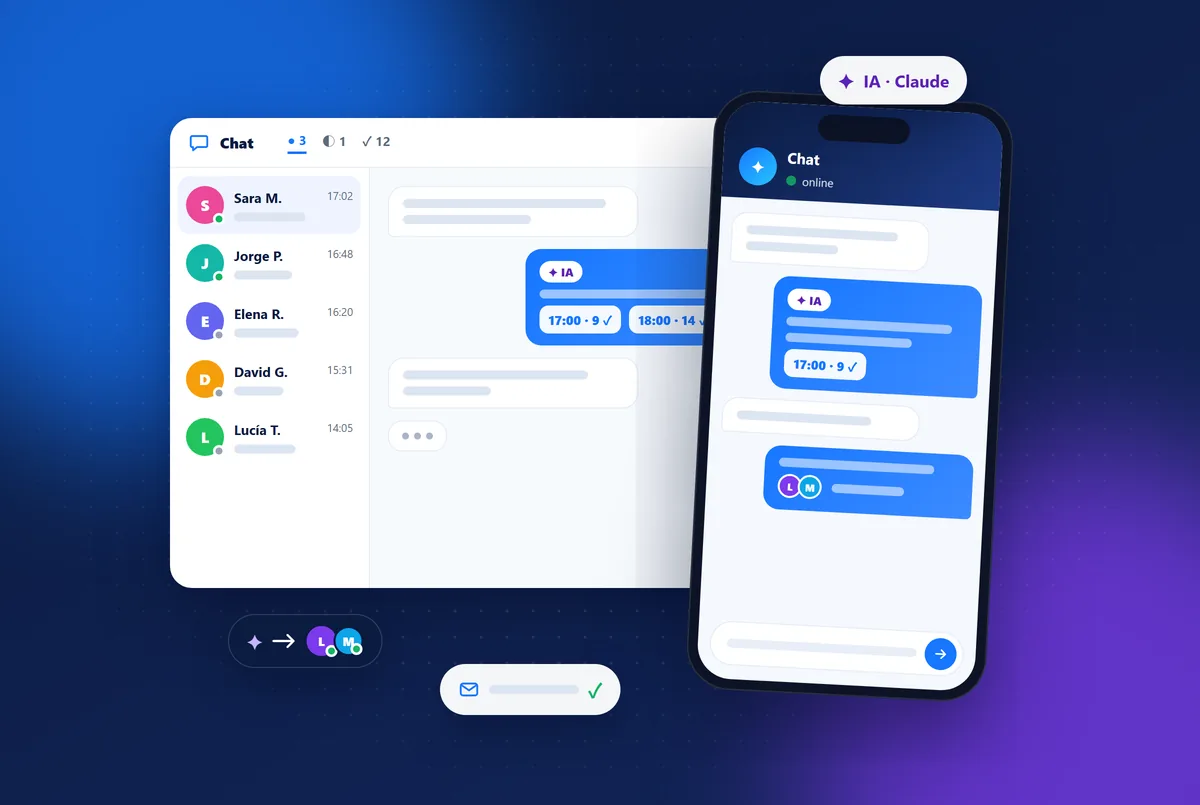
Uelta’s AI live chat sits in your online shop and, with one line of code, on your own website. Your team answers from its own app at chat.uelta.com, with the inbox, the conversation and the visitor’s details, on a phone too. The assistant uses Claude with your venue’s data, checks free spots and shares the link to your booking shop; when a person is needed, it hands the conversation to your team. If you run a park, see how it all fits together in our trampoline park software.
Frequently asked questions
Does the AI chat replace my team?
No. It takes care of repeated questions so your team can spend its time on the conversations that need a person: custom parties, incidents or customers with special queries.
What happens at night or on bank holidays?
Visitors see that you are closed and when you are back. If the AI is switched on, it keeps answering with your venue’s data; if not, they leave a message and you reply by email.
Can I add it to my own website?
Yes. As well as in the online shop, it can be added to any website with a single line of code, and conversations arrive in the same inbox.
How is the AI charged?
Live chat is part of the subscription and AI usage is billed separately based on what is used each month. You set a monthly limit in the panel.
Want to try it with your customers’ questions? Start your 7-day free trial and switch the chat on from day one.